Continuous Presence Broadcast
Continuously broadcasts tag presence every 4 seconds.

Adds continuous presence detection and PushTrust authentication to Smart Fuel Cap activity, helping fleets understand who is nearby, who confirmed the action, and how each fuel event should be interpreted.
Adds continuous presence detection and PushTrust authentication to Smart Fuel Cap activity, helping fleets understand who is nearby, who confirmed the action, and how each fuel event should be interpreted.
Description
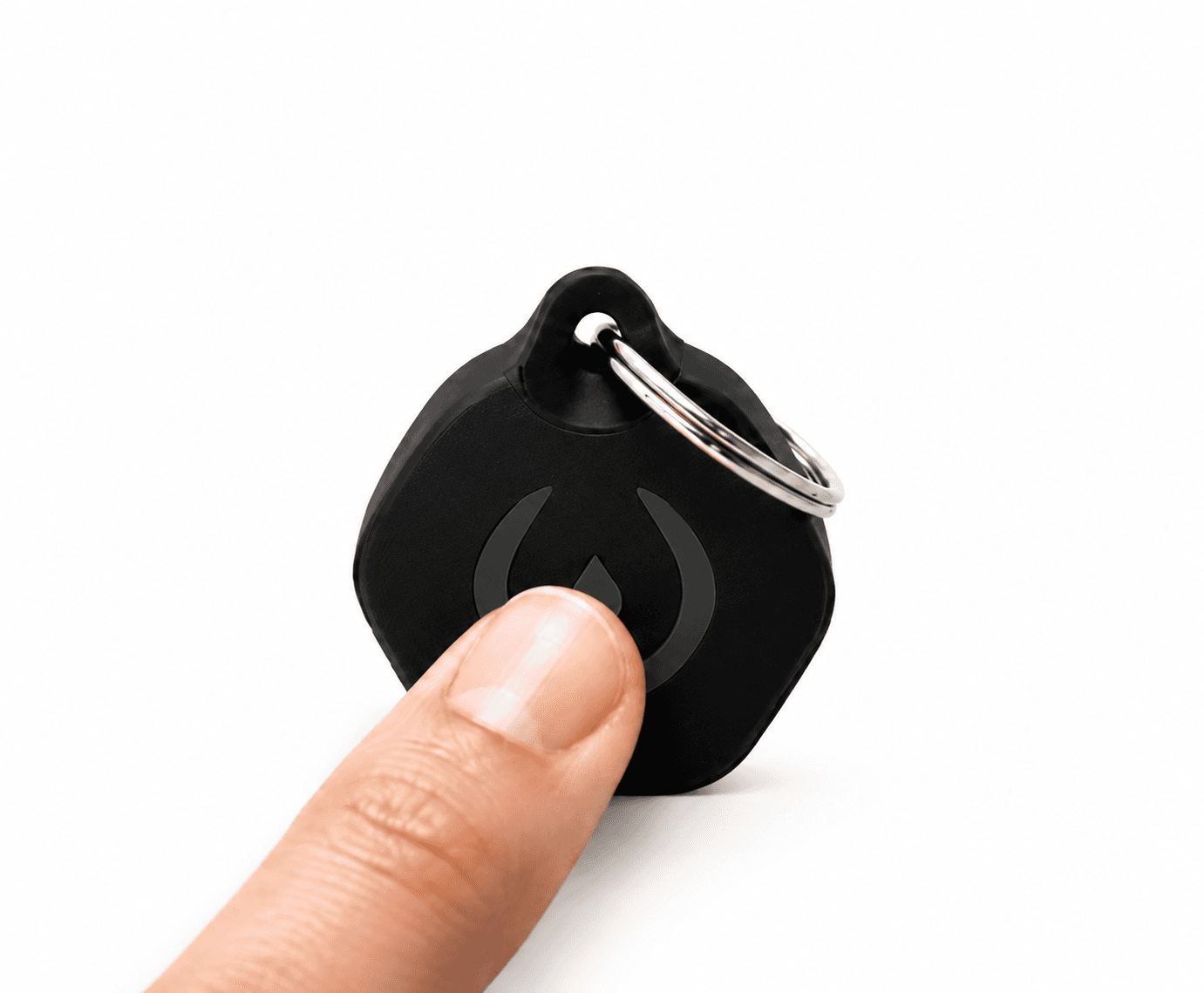
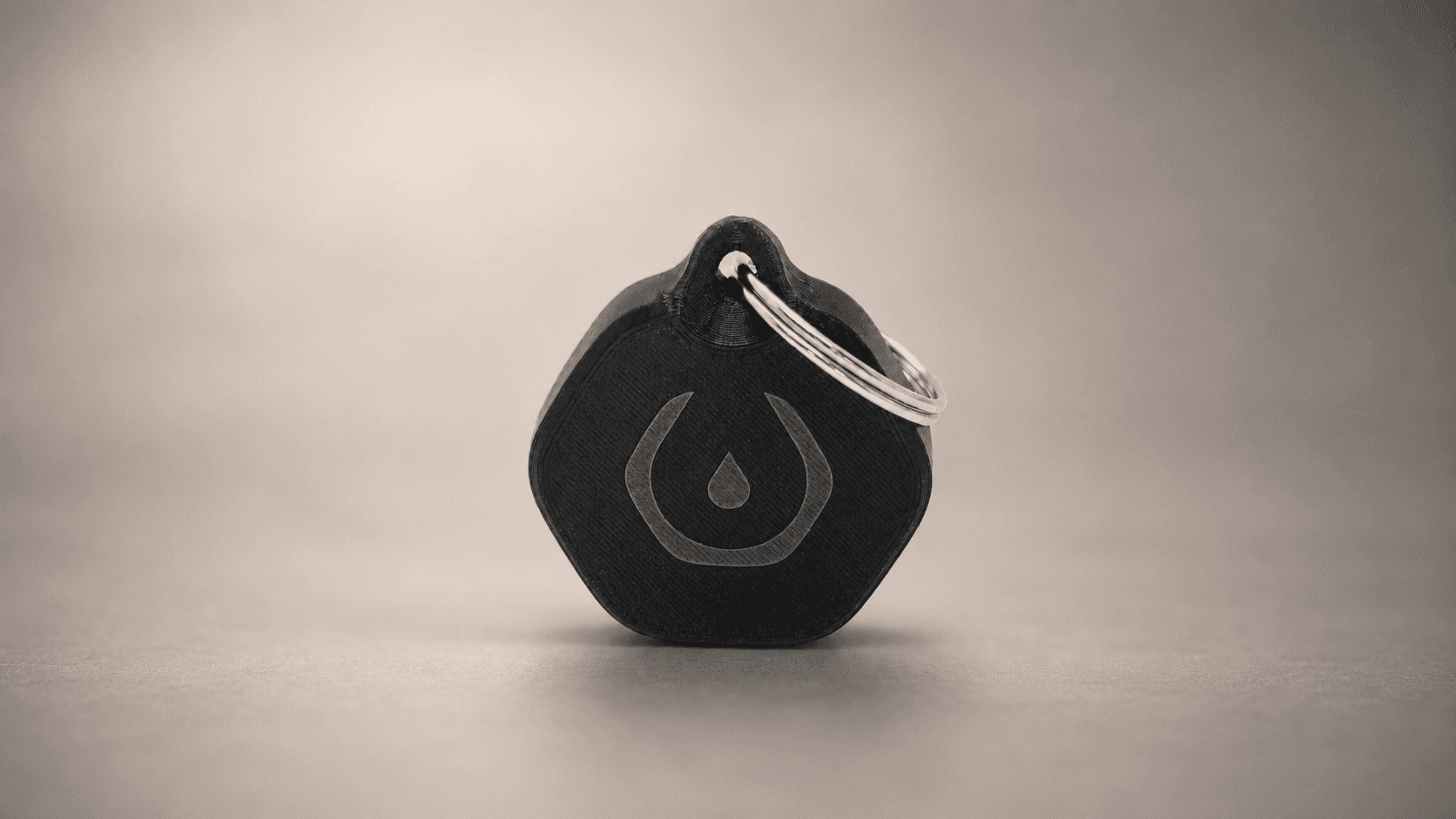
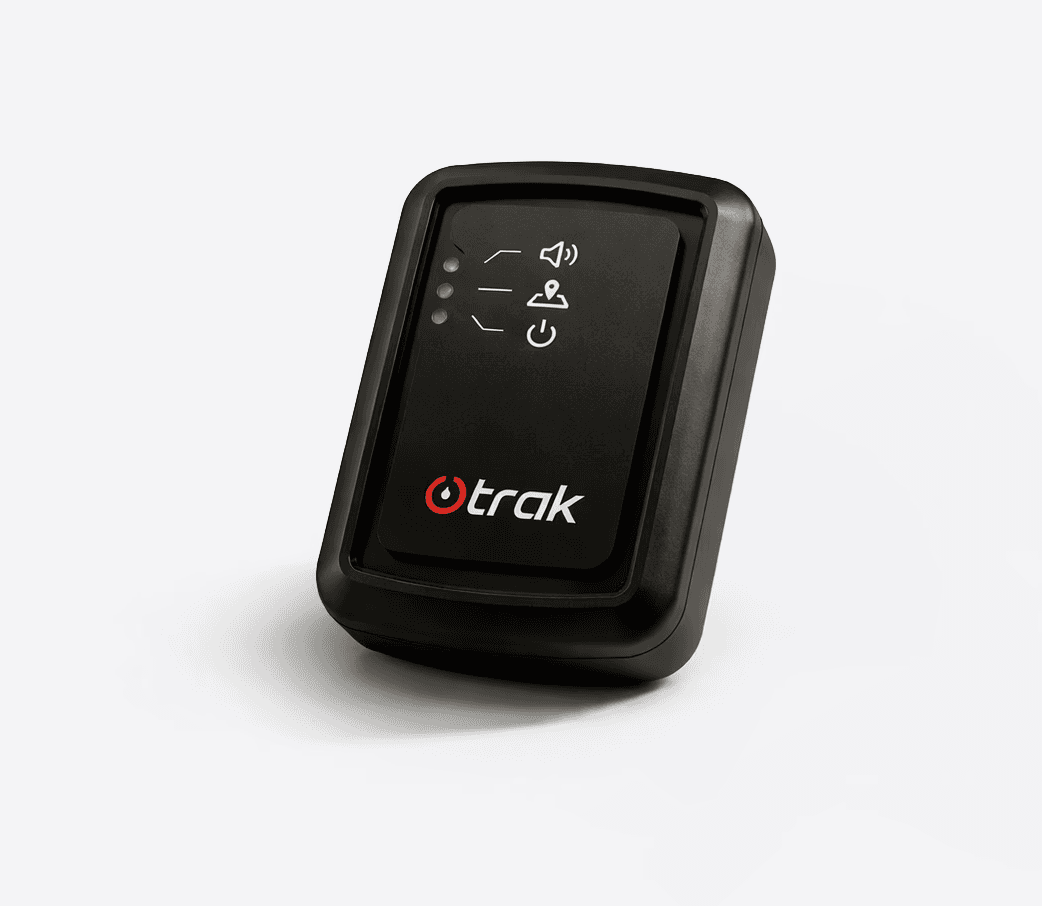
Trak Smart Fuel Tag is a compact wireless presence detection tag that continuously broadcasts its presence every four seconds and sends an instant fueling authentication signal when the PushTrust Button is pressed.
Trak Smart Fuel Tag is a compact wireless presence detection tag that continuously broadcasts its presence every four seconds and sends an instant fueling authentication signal when the PushTrust Button is pressed.
Trak Smart Fuel Tag is a compact wireless presence detection tag that continuously broadcasts its presence every four seconds and sends an instant fueling authentication signal when the PushTrust Button is pressed.
4 sec broadcast interval
PushTrust Button
Up to five years battery
IP67
4 sec broadcast interval
PushTrust Button
Up to five years battery
IP67
Continuously broadcasts its presence every four seconds, helping compatible systems understand whether the driver or assigned tag is nearby.
Sends an instant authentication signal when the PushTrust Button is pressed, supporting intentional confirmation during refueling.
Combines tag presence, PushTrust action, cap activity, time, and location to help platforms classify fuel events more intelligently.
Smart Tag does not communicate directly with Smart Fuel Cap. Compatible telematics devices read both broadcasts to support fuel security workflows.
Work together.
Know the difference.
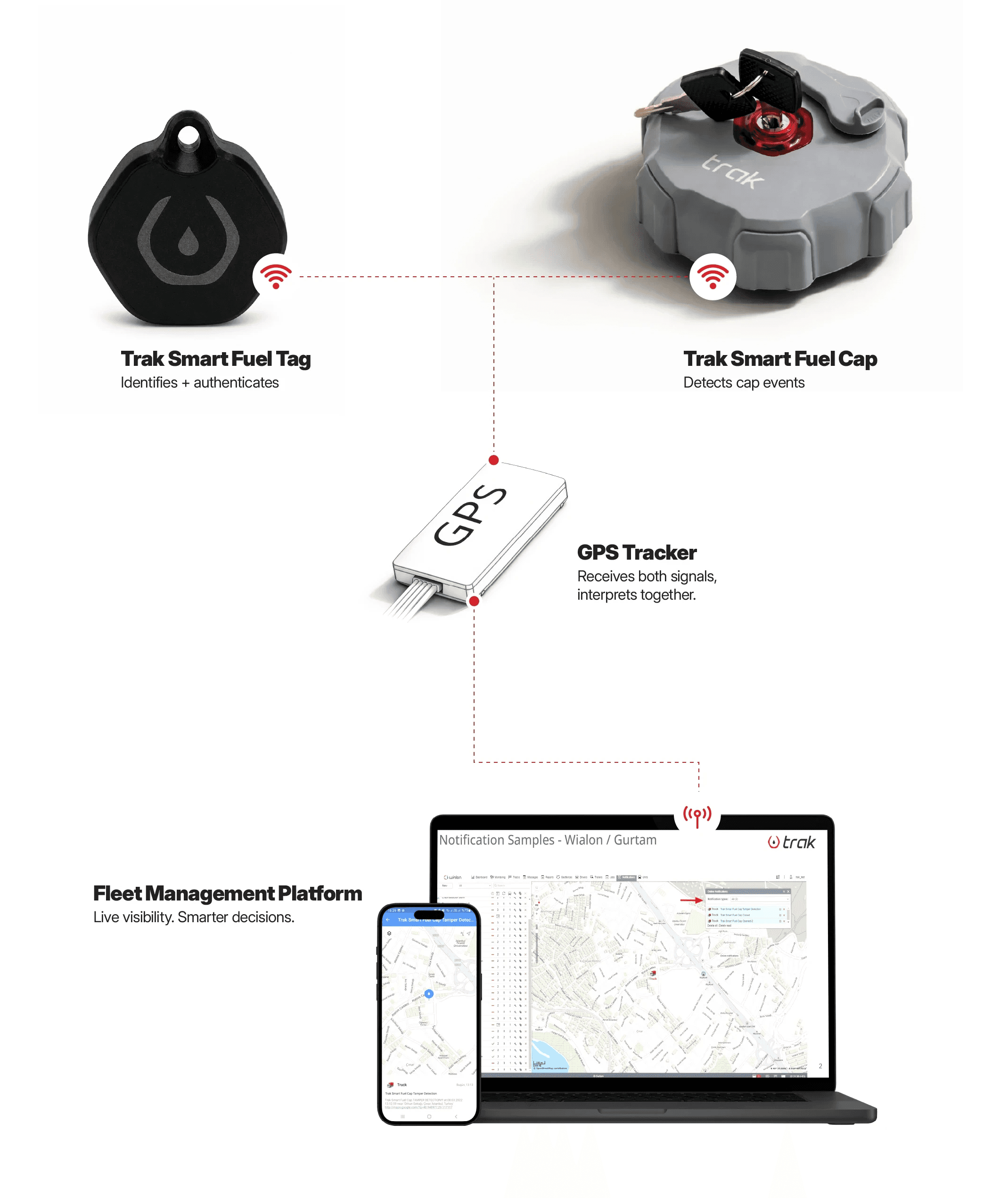
The Smart Fuel Cap detects activity and the Smart Tag identifies the driver and checks for the authentication. Both signals are received by the GPS Tracker, interpreted together and securely sent via GSM to the Fleet Management Platform.
Work together. Know the difference.
Experience Unmatched Fuel Security with Our 5-Layer
Protection System
The Smart Fuel Cap detects activity and the Trak Smart Fuel Tag identifies the driver and checks for the authentication. Both signals are received by the GPS Tracker, interpreted together and securely sent via GSM to the Fleet Management Platform.
The Smart Fuel Cap detects activity and the Trak Smart Fuel Tag identifies the driver and checks for the authentication. Both signals are received by the GPS Tracker, interpreted together and securely sent via GSM to the Fleet Management Platform.
A simple refueling sequence combines driver presence, PushTrust authentication, and Trak Smart Fuel Cap activity to confirm an authorized fuel event.
A simple refueling sequence combines driver presence, PushTrust authentication, and Trak Smart Fuel Cap activity to confirm an authorized fuel event.
Experience Unmatched Fuel Security with Our 5-Layer
Protection System
01
Vehicle enters the fueling station and parks next to the fuel pump.

02
Driver approaches the tank area, and Smart Fuel Tag presence is detected.

03
Driver presses the PushTrust Button before opening the fuel cap.
04
Smart Fuel Cap is opened and the authorized refueling event is confirmed.

01
Vehicle enters the fueling station and parks next to the fuel pump.

02
Driver approaches the tank area, and Smart Fuel Tag presence is detected.

03
Driver presses the PushTrust Button before opening the fuel cap.
04
Smart Fuel Cap is opened and the authorized refueling event is confirmed.

Authorized refueling is confirmed when driver presence, PushTrust authentication, and Trak Smart Fuel Cap activity are detected together.
Authorized refueling is confirmed when driver presence, PushTrust authentication, and Trak Smart Fuel Cap activity are detected together.
Authorized Refueling
PushTrust authentication and Smart Fuel Cap opening can be interpreted together to support verified refueling workflows.
Driver Away / External Theft Context
If the cap is opened while the assigned Trak Smart Fuel Tag is not nearby, the platform can classify the event as higher risk.
Driver Nearby, No PushTrust
If the cap is opened while the tag is nearby but no PushTrust authentication is detected, the system can flag possible unauthorized proximity access.
Notification Filtering
If cap activity occurs while the authorized tag is nearby, the event can be recorded without creating unnecessary alert noise.
Cap Left Open / Walk-Away Alert
If the cap remains open and Trak Smart Fuel Tag presence is lost, compatible logic can trigger a cap-left-open warning.
Team Driving Accountability
When multiple tags are nearby, the PushTrust signal can help identify which driver initiated the fueling action.
Geofenced Authentication
If PushTrust authentication and cap opening occur outside approved fueling locations, the event can be flagged for review.
Siren Control Logic
Tag presence or PushTrust confirmation can be used to support siren mute or alarm control workflows, depending on configuration.
Trak Smart Fuel Tag uses a broadcast-only structure to share presence, authentication, and battery status with compatible telematics devices.
Experience Unmatched Fuel Security with Our 5-Layer
Protection System
No direct communication with Smart Fuel Cap.
No direct communication with Smart Fuel Cap.
Technical Specs
4 sec broadcast interval · PushTrust Button · Up to five years battery · IP67 · 12 g
Technology
2.4 GHz wireless broadcast technology
Sleep mode
In sleep mode before use; activated by PushTrust Button press
Idle state
Always active continuous broadcast after initial power-up
Signal interval
Every 4000 ms / four seconds
PushTrust signal
Immediate signal for fueling authentication
Total broadcasts
Three distinct broadcast modes: Idle, Event, and Low Battery
Broadcast 1
Continuous identity broadcast, uninterrupted by the other broadcasts
Broadcast 2
Fueling authentication broadcast, triggered by PushTrust
Button press
Broadcast 3
Low battery broadcast, sent automatically when the battery
is low
Dimensions
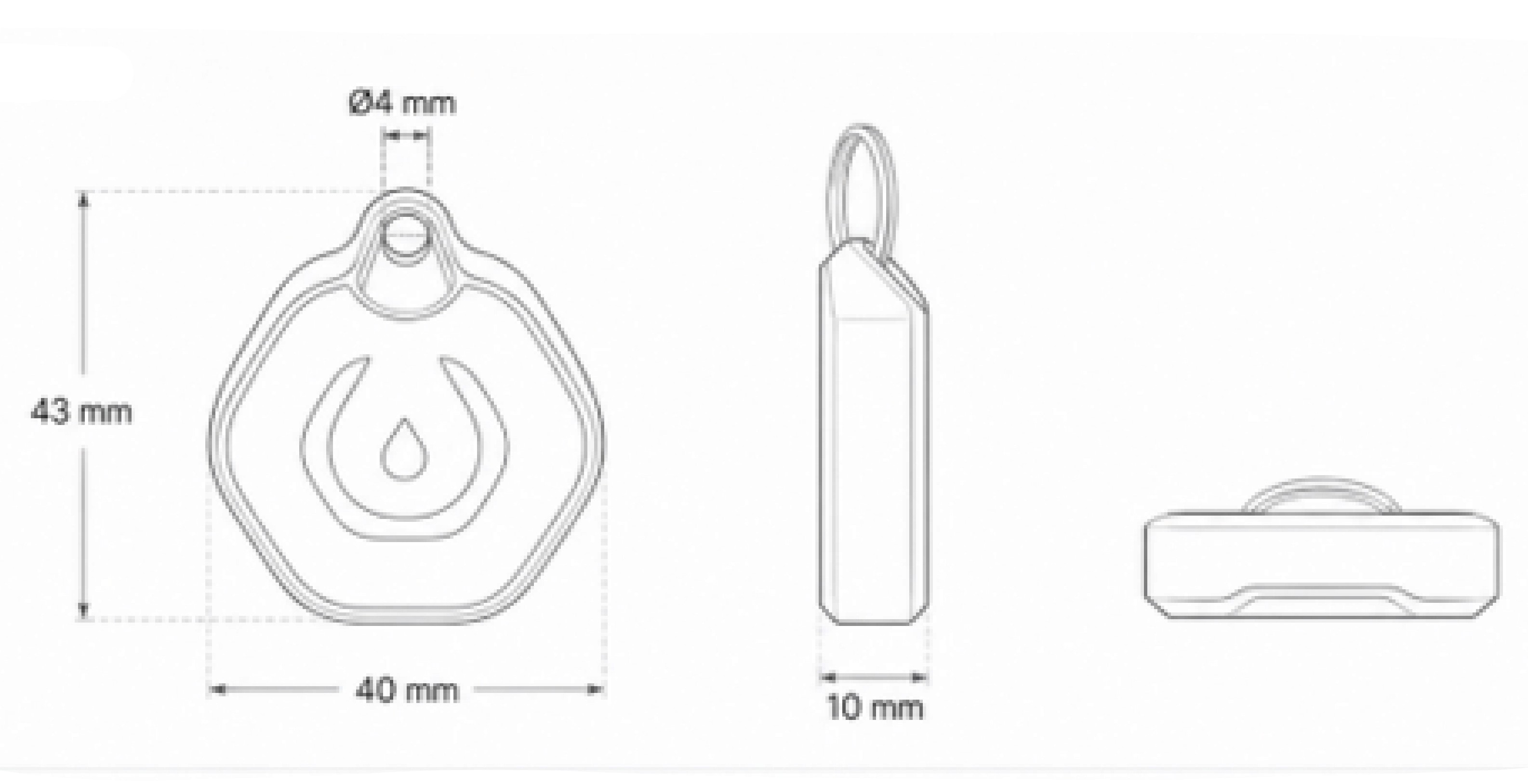
43 mm × 40 mm × 10 mm
Side profile thickness
5 mm
Keychain hole diameter
Ø4 mm
Weight
12 g
Mounting
Keychain attachment
Ingress protection
IP67
Protection
Protection against dust and temporary water immersion
Operating temperature
-20°C to +60°C
Material
Polymer
Battery type
CR2032 (UN 3091 – Lithium metal batteries contained
in equipment)
Battery life
Up to five years, depending on usage and trigger frequency
Low battery warning
Below 20%
Low battery transmission
Automatic hardware-triggered broadcast
Rechargeable
No
Replaceable
No
Product Resources
Quickly download essential documents or explore our full resource library for in-depth technical information.
Experience Unmatched Fuel Security with Our 5-Layer
Protection System



Related Products

Authorized Refueling
PushTrust authentication and Smart Fuel Cap opening can be interpreted together to support verified refueling workflows.
Driver Away / External Theft Context
If the cap is opened while the assigned Smart Fuel Tag is not nearby, the platform can classify the event as higher risk.
Driver Nearby, No PushTrust
If the cap is opened while the tag is nearby but no PushTrust authentication is detected, the system can flag possible unauthorized proximity access.
Notification Filtering
If cap activity occurs while the authorized tag is nearby, the event can be recorded without creating unnecessary alert noise.
Cap Left Open / Walk-Away Alert
If the cap remains open and Trak Smart Fuel Tag presence is lost, compatible logic can trigger a cap-left-open warning.
Team Driving Accountability
When multiple tags are nearby, the PushTrust signal can help identify which driver initiated the fueling action.
Geofenced Authentication
If PushTrust authentication and cap opening occur outside approved fueling locations, the event can be flagged for review.
Siren Control Logic
Tag presence or PushTrust confirmation can be used to support siren mute or alarm control workflows, depending on configuration.
Trak Smart Fuel Tag uses a broadcast-only structure to share presence, authentication, and battery status with compatible telematics devices.
No direct communication with Smart Fuel Cap.
Technical Specs
Technology
2.4 GHz wireless broadcast technology
Sleep mode
In sleep mode before use; activated by PushTrust Button press
Idle state
Always active continuous broadcast after initial power-up
Signal interval
Every 4000 ms / four seconds
PushTrust signal
Immediate signal for fueling authentication
Total broadcasts
Three distinct broadcast modes: Idle, Event, and Low Battery
Broadcast 1
Continuous identity broadcast, uninterrupted by the other broadcasts
Broadcast 2
Fueling authentication broadcast, triggered by PushTrust Button press
Broadcast 3
Low battery broadcast, sent automatically when the battery is low
Dimensions
43 mm × 40 mm × 10 mm
Side profile thickness
5 mm
Keychain hole diameter
Ø4 mm
Weight
12 g
Mounting
Keychain attachment
Ingress protection
IP67
Protection
Protection against dust and temporary water immersion
Operating temperature
-20°C to +60°C
Material
Polymer
Battery type
CR2032 (UN 3091 – Lithium metal batteries contained in equipment)
Battery life
Up to five years, depending on usage and trigger frequency
Low battery warning
Below 20%
Low battery transmission
Automatic hardware-triggered broadcast
Rechargeable
No
Replaceable
No
Product Resources
Quickly download essential documents or explore our full resource library for in-depth technical information.
Related Products